How to Change Your WordPress Site Title or Tagline
In the previous tutorial we showed you how to set up permalinks, as we continue our series on basic Wordpress features we will now cover how to change your Wordpress site title or tagline. Let's start with a short recap of some WordPress terminology. The WordPress Site Title usually appears above the Tagline and is usually larger than the Tagline. Keep in mind that, every theme has a different style and some even hide, the Site Title, the Tagline, or even both. Below are two examples showing the location of the Site Title and Tagline in two different themes.
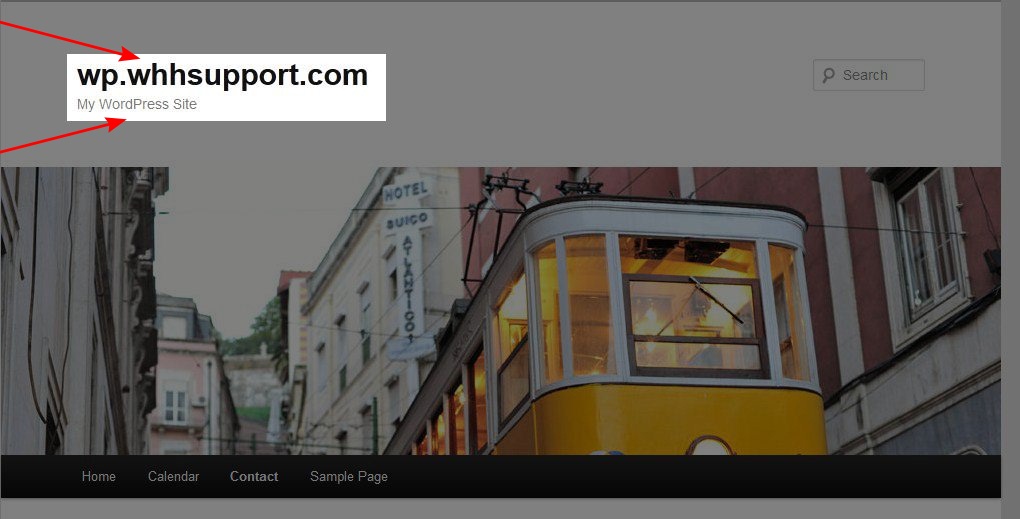

You can easily change your Site Title or Tagline in WordPress.
Begin by logging into your WordPress dashboard.
Click on Settings > General in the dashboard.
At the top of the screen you will see the Site Title and Tagline fields where you can type in your new Site Title and/or Tagline.
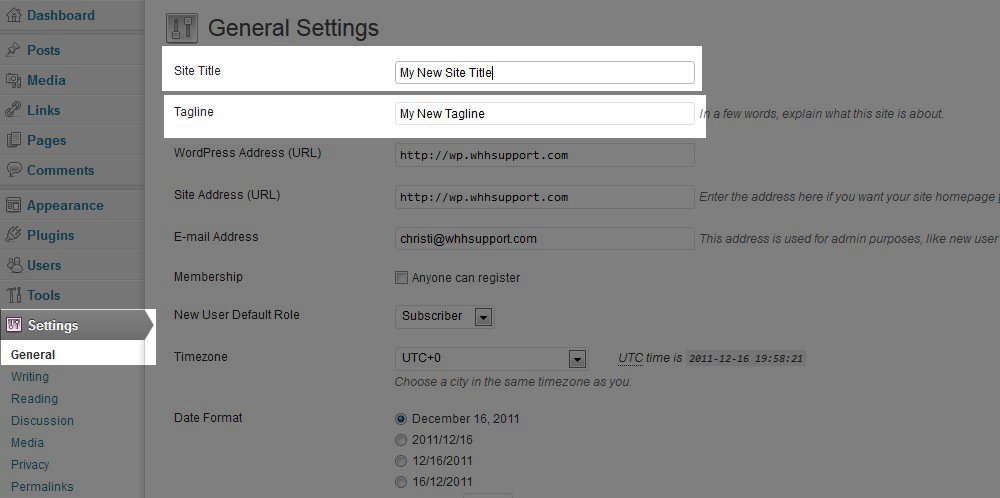
Click the "Save Changes" button at the bottom of the screen to save your changes.
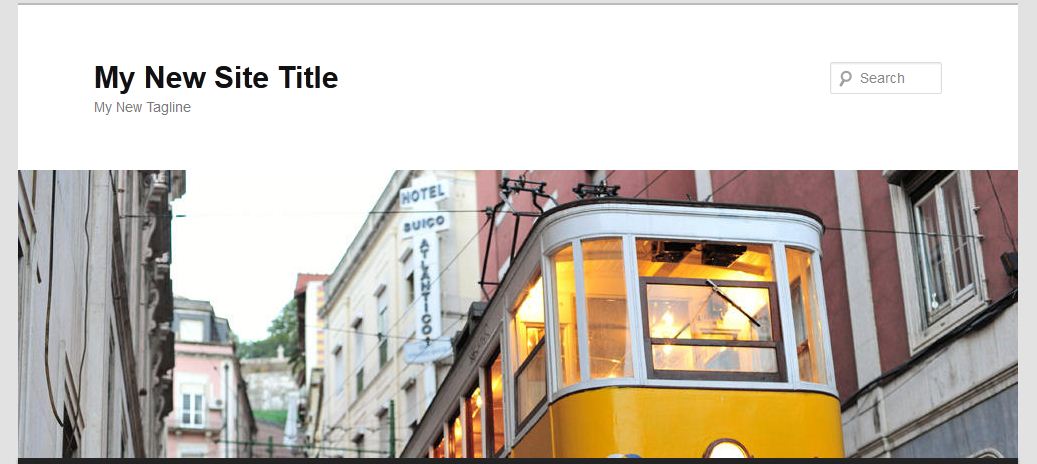
Refresh your site in your browser to view your changes on your live site.

Did you find this article helpful?
Tweet
« Prev
How to set up Permalinks
Category
Basic WordPress Features
Help Center Login
Basic WordPress Features
Related Questions
Here are a few questions related to this article that our customers have asked:
Ooops! It looks like there are no questions about this page.
Would you like to ask a question about this page? If so, click the button below!

We value your feedback!
There is a step or detail missing from the instructions.
The information is incorrect or out-of-date.
It does not resolve the question/problem I have.
new! - Enter your name and email address above and we will post your feedback in the comments on this page!