Using the Builder with no Banner
In order to NOT use a banner in a Builder website, you will have two choices: 1)Remove the design completely in the Edit section, or 2)replace the banner with a blank graphic. The following tutorial will review how to use these two methods in building your Website with the Builder.
Removing the Banner Image for a Builder Website
WARNING: If you intend to remove the selected template entirely, then you should be aware that there will be no background graphics or styling anywhere on the page. You will need to format everything using the editor.
To remove the design template using the Builder:
- Login to the Builder
- At the top of the page you'll see the numbered options, click on #4- EDIT.
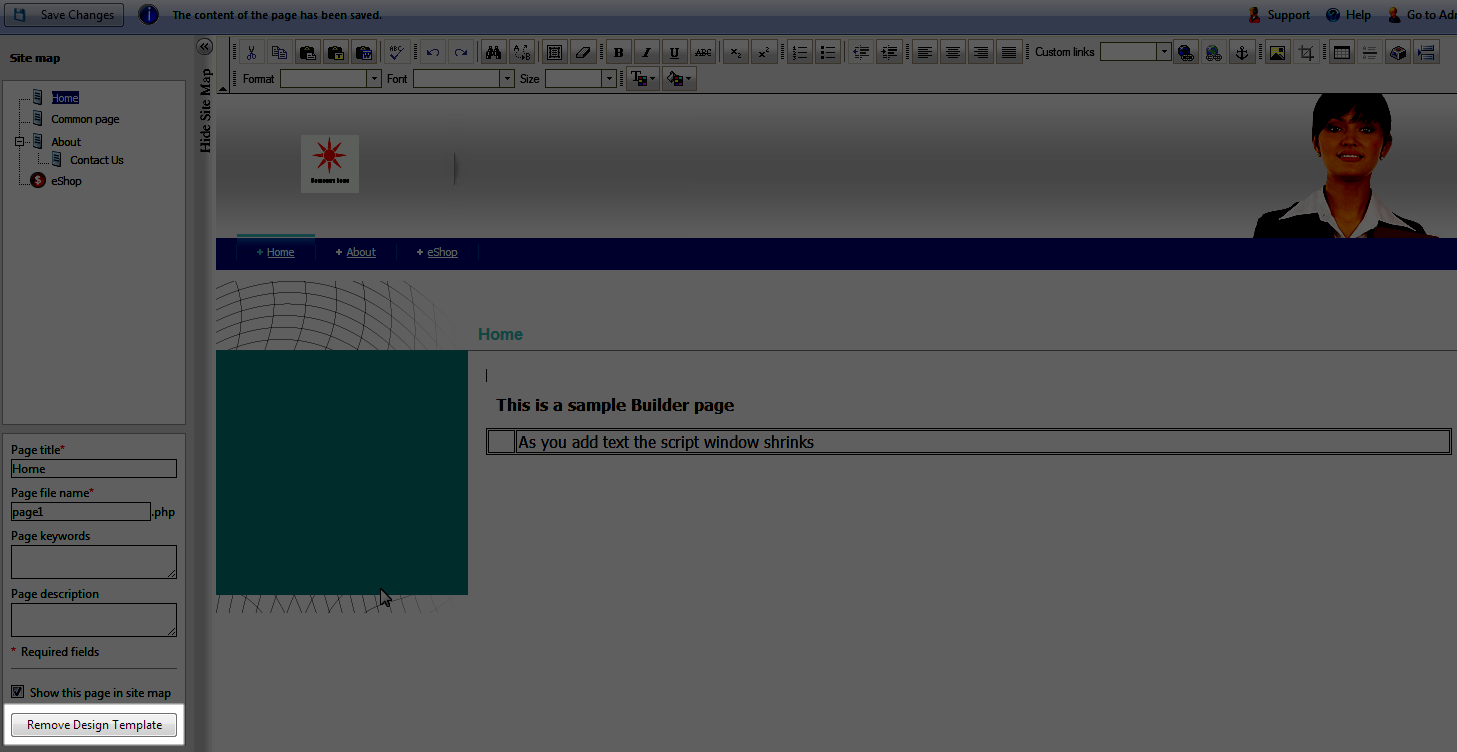 In the bottom left hand side you will see the button that is labeled "REMOVE DESIGN TEMPLATE". Click on this button to remove the template.
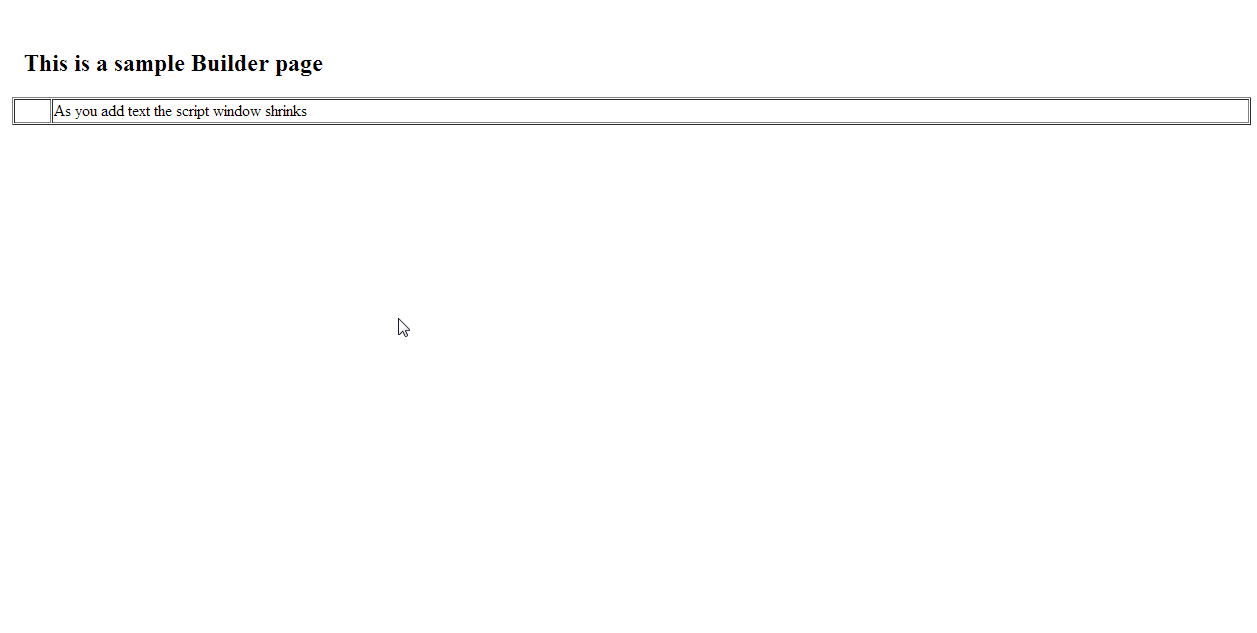 If this is what you want, then select SAVE CHANGES at the top to save the removal of the template. Otherwise, click on the same button again (but this it will be labeled "RESTORE DESIGN TEMPLATE") to bring back the template.
Remember, that if you are working without a template, then you will need to use the EDIT bar in order add text or graphics.
To replace the banner with a blank graphic:
- Login to the Builder
- Select the #2- Design section from the menu at top.
- You will need to create a blank file(or you can download this one if you wish).
- In the Banners section at right, click on CHOOSE FILE, then upload the blank file.
- Click on SAVE CHANGES in the top left hand corner.
You can then proceed with building your website without the banner but using the selected design template.
Did you find this article helpful?
Tweet
Category
Customize Your Site
Help Center Login
Customize Your Site
Related Questions
Here are a few questions related to this article that our customers have asked:
Ooops! It looks like there are no questions about this page.
Would you like to ask a question about this page? If so, click the button below!

We value your feedback!
There is a step or detail missing from the instructions.
The information is incorrect or out-of-date.
It does not resolve the question/problem I have.
new! - Enter your name and email address above and we will post your feedback in the comments on this page!