Setup an External SMTP Server in Concrete5
When you are sending mail from Concrete5 for something such as forms, by default they will be sent using a PHP mail function. You can set this up to send emails using your email credentials instead, which can be helpful if you want the emails to come from a specific address.
In this tutorial we will show you how to setup an external SMTP server in Concrete5.
Using an External SMTP Server:
- Login to your Concrete5 Dashboard.
- Roll your mouse over the Dashboard button and choose System & Settings.
- Under the Email section, click SMTP Method.
- On the SMTP Method menu, select External SMTP Server option. The menu will drop down, and provide a new SMTP Settings section to fill in.
Option Description Mail Server Enter your mail server information, most likelysomething similar to this:
mail.yourdomain.com, or secure99.webhostinghub.com if you are using the encryption option below.
Username Enter your full email address, such as:
This email address is being protected from spambots. You need JavaScript enabled to view it.
Password Enter the password for the email address entered above. Encryption Use None or SSL. When using the SSL option, be sure to use your SSL settings. Port Enter 25 or 587. If you are using SSL encryption, enter 465.
Once you have made your selections, click the blue Save button on the bottom. You will see a notification stating "Global mail settings saved."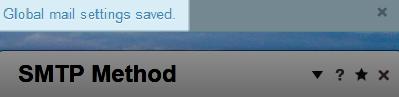
Congratulations, now you know how to setup an external SMTP server in Concrete5.
Did you find this article helpful?
Tweet
Category
201 Advanced Tutorials
Help Center Login
201 Advanced Tutorials
Related Questions
Here are a few questions related to this article that our customers have asked:
Ooops! It looks like there are no questions about this page.
Would you like to ask a question about this page? If so, click the button below!

We value your feedback!
There is a step or detail missing from the instructions.
The information is incorrect or out-of-date.
It does not resolve the question/problem I have.
new! - Enter your name and email address above and we will post your feedback in the comments on this page!