How to set an Email Size Limit in SpamExperts
When managing email accounts, large emails can cause issues. SpamExperts allows you to impose a limit on the size of the incoming emails. You have the option to quarantine or reject any incoming email based on the size. Below are instructions on how to set up restrictions based on the size of the email in your SpamExperts control panel.
- Log into SpamExperts Control Panel.
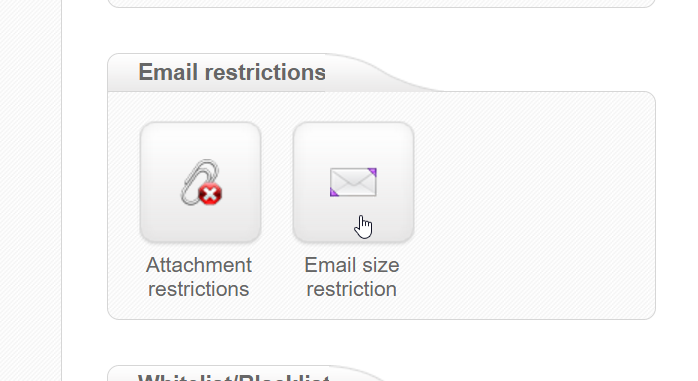 Go to Email size restriction.
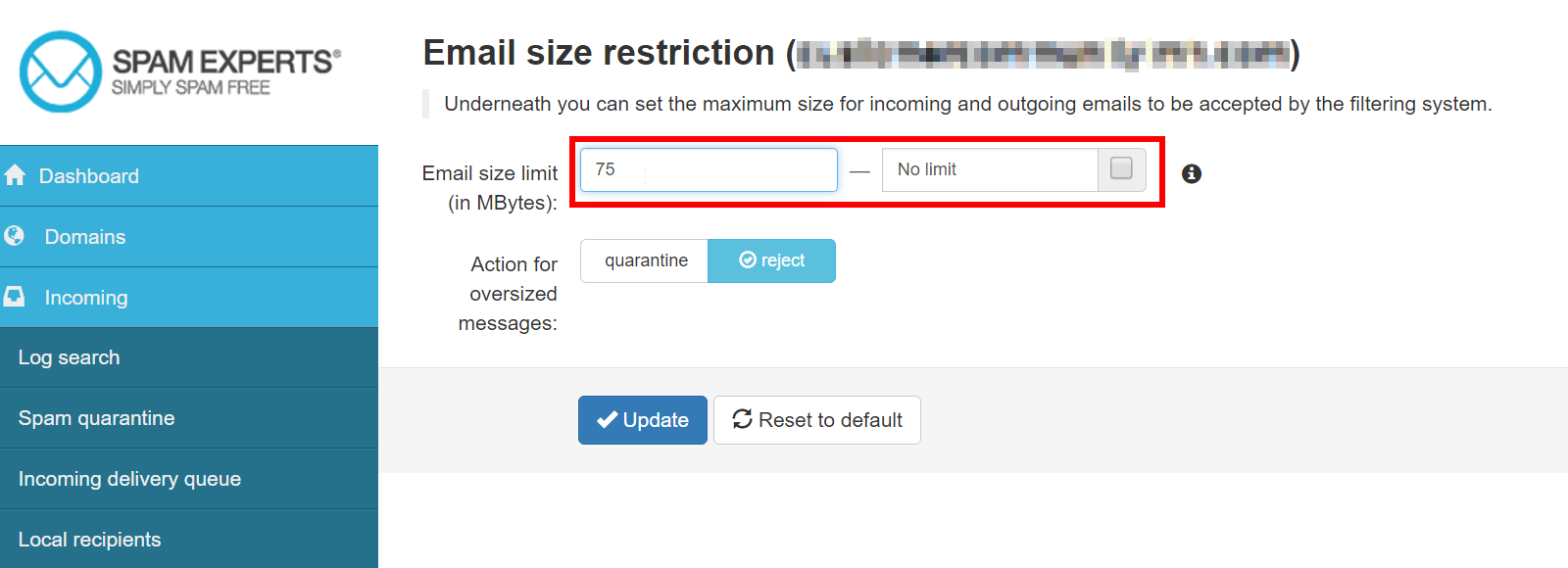 In the first field, you are able to set the size limit in MB. If you set that limit to 50, any email over 50MB will be flagged by your filter. If you do not want to filter by a size limit, simply select the no limit checkbox.
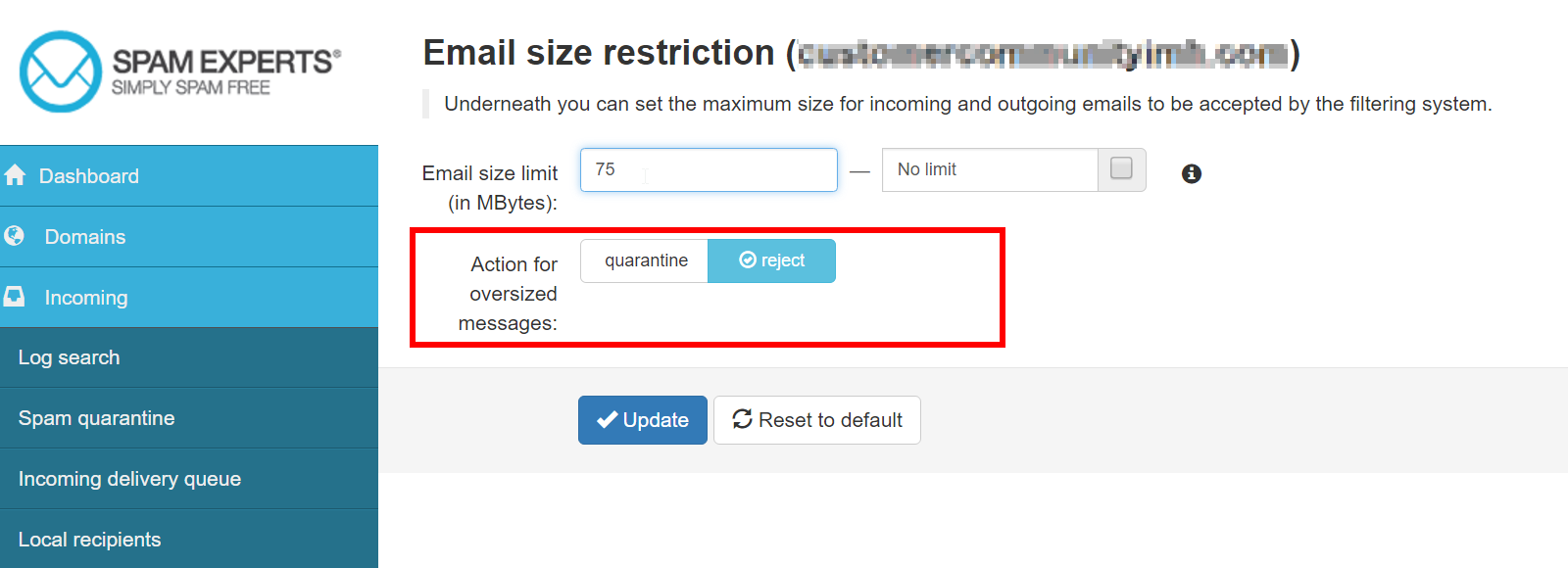 Next, choose whether you would like to quarantine or reject the email.
 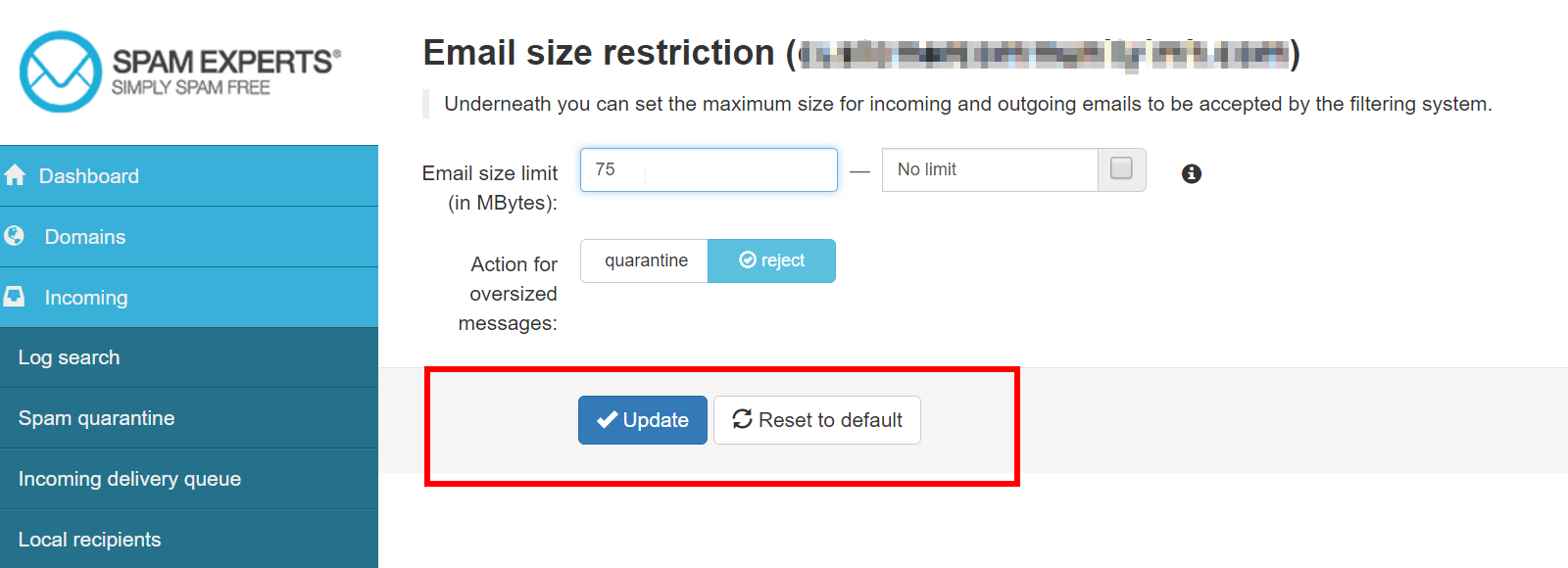 Select Update.
You now know how to set an email size limit using the SpamExperts dashboard.
Did you find this article helpful?
Tweet
Category
SpamExperts
Help Center Login
Related Questions
Here are a few questions related to this article that our customers have asked:
Ooops! It looks like there are no questions about this page.
Would you like to ask a question about this page? If so, click the button below!

We value your feedback!
There is a step or detail missing from the instructions.
The information is incorrect or out-of-date.
It does not resolve the question/problem I have.
new! - Enter your name and email address above and we will post your feedback in the comments on this page!