Removing the login from the Joomla front end
The login form may not always be needed for some Joomla websites. In order to remove it, you will need to find the form in the module manager and unpublish it. The following article explains how find and remove the option within the Joomla 3.1 control panel.
Hiding the Login Interface for the Joomla Front End
- Log into your Joomla Control Panel.
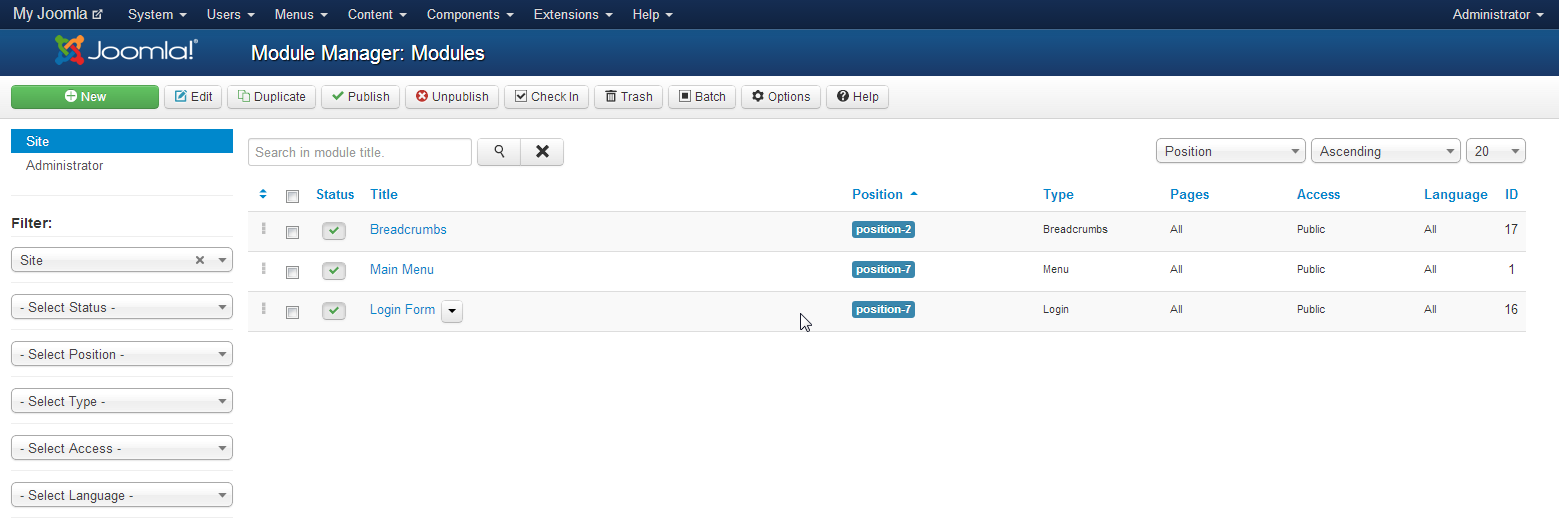 In the top menu, click on the drop-down arrow next to Extensions. Click on MODULE MANAGER in the menu that appears.
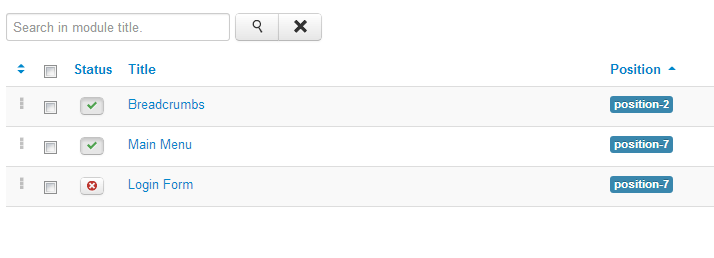 Click on the green checkmark for the login form (to the left of the form title), and you will see the checkmark turn into an 'x' in a red circle. This indicates the form has been unpublished. When it is unpublished, the users can no longer see the form in the front end of the website.
This completes the removal of the login form from the front end of the Joomla website. Remember to visit our educational channel managing users and user options in Joomla.
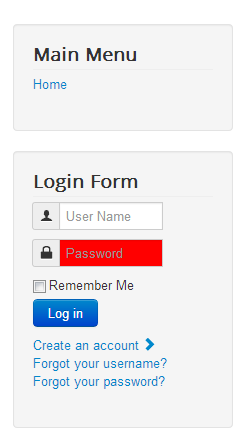
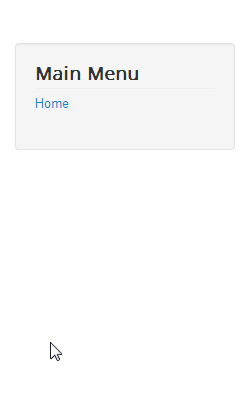
When the login form is enabled you will see it in the front end of the Joomla website. It is easily seen when the form is not present in the front end as it displayed in the table and screenshots below.
| Login Form Enabled | Login Form Disabled |
|---|---|
 |
 |
Did you find this article helpful?
Tweet
Help Center Login
Managing Users and User Options in Joomla
| 1. | Disable User Registration in Joomla |
| 2. | Removing the login from the Joomla front end |
| 3. | Adding Users in the User Manager for Joomla |
Related Questions
Here are a few questions related to this article that our customers have asked:
Ooops! It looks like there are no questions about this page.
Would you like to ask a question about this page? If so, click the button below!

We value your feedback!
There is a step or detail missing from the instructions.
The information is incorrect or out-of-date.
It does not resolve the question/problem I have.
new! - Enter your name and email address above and we will post your feedback in the comments on this page!