Setting up the Google Checkout Module in PrestaShop 1.5
One of the many options that you will need to setup for an ecommerce store is a payment gateway. One of the more popular ones that you can obtain for PrestaShop is Google Checkout. By default, this module is not installed. The following tutorial shows you how to install and configure the Google Checkout module in PrestaShop 1.5.
Installing the Google Checkout Module in PrestaShop 1.5
- Login to the Administrator Dashboard
- Hover over the menu bar where it is labeled MODULES, then click on MODULES when it appears in the drop-down menu
- You will see the general list of modules. Click on the SEARCH field and type in GCHECKOUT, then click on the search button in order to search for the module. Here is an example of the results that you will see:

Cllick on the check-box to the left of the module, and then click on INSTALL THE SELECTION at the bottom of the screen, or click on INSTALL to the right in order to begin the installation process. - When the installation completes, you will see the following:

The installation is not complete as you will need to configure it by clicking on CONFIGURE. You will see the following screen: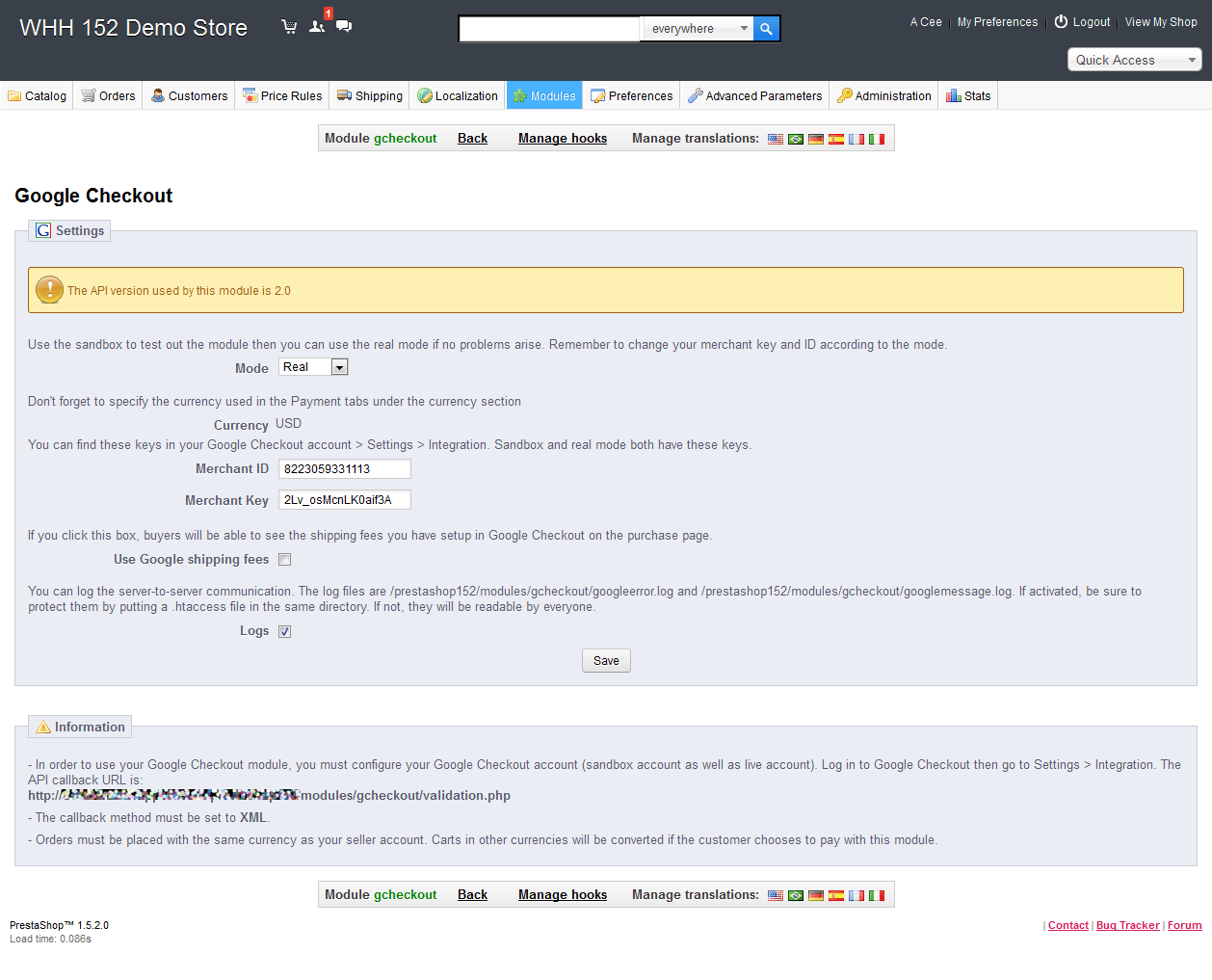 Make sure to read through the information that Google provides for the setup. The setup can be put into SANDBOX mode to test. Furthermore, note that you MUST have an account in order to use Google Checkout (the information above has been altered and is not valid, so please do not use the information in the screenshot). You can go to Google and search for "Google Checkout" for more information. If you do not have a Google account, you will have to create one and then sign up for their Checkout services. It may appear confusing as it's associated with a product called Google Wallet. Once you sign into Google, you'll see a page that invites you to setup a Google Checkout account. It may appear like the following screenshot: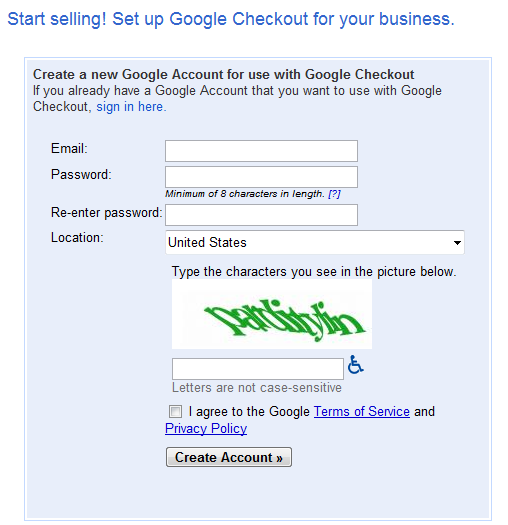
- Once you have completed the configuration of the Google Checkout, you can exit the module configuration screen by clicking on BACK as per the screenshot below:

Google Checkout is one of the modules that you can activate to enable a payment gateway. Specific information about the cost to use the gateway can be found with Google. Please be careful when setting up payment gateways as the interface may be free, but the processing the sale will incur a cost per transaction.
Did you find this article helpful?
Tweet
Category
Using Modules in PrestaShop 1.5
Help Center Login
Using Modules in PrestaShop 1.5
Related Questions
Here are a few questions related to this article that our customers have asked:
Ooops! It looks like there are no questions about this page.
Would you like to ask a question about this page? If so, click the button below!

We value your feedback!
There is a step or detail missing from the instructions.
The information is incorrect or out-of-date.
It does not resolve the question/problem I have.
new! - Enter your name and email address above and we will post your feedback in the comments on this page!